About Screen
What is this screen?
The About Screen provides information about the app itself, including version details, legal information, and credits.
What can you do here?
- Check app version: See which version of the app you're currently running
- View install and update times: See when the app was installed and last updated
- View open source licenses: Access information about third-party software used in the app
Understanding the screen
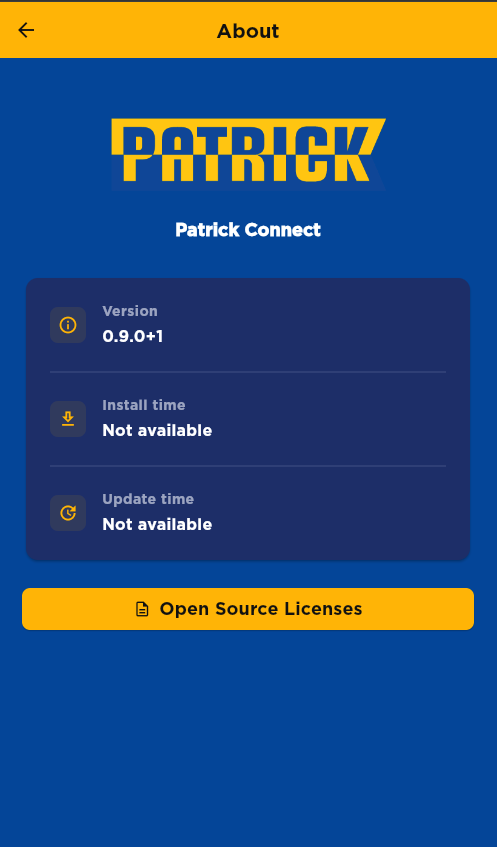
The screenshot above displays the About Screen with the Patrick Connect branding and key app information.
App Information
You'll see:
- App name: Patrick Connect
- Version number: The current version (e.g., 0.9.0+1)
- Install time: When the app was installed (shows "Not available" if not tracked)
- Update time: When the app was last updated (shows "Not available" if not tracked)
Licenses
- Open Source Licenses button: Tap this to view licenses for third-party software used in the app
How to use this screen
Check your app version
- Open the About screen
- Look for "Version"
- Note the version number (e.g., 0.9.0+1)
Why this matters: When reporting issues or checking for updates, knowing your version helps.
View open source licenses
- Tap the "Open Source Licenses" button
- See a list of third-party software used in the app
- Tap individual licenses for details
Mobile tips
- Know your version: Keep track of which version you're using, especially when reporting issues
- Check for updates: If you haven't updated in a while, visit your app store to get the latest version
- Reference for support: When contacting support, mention your app version
Common questions
Q: Why do I need to know my app version?
The version number helps when: - Reporting bugs to support - Checking if you have the latest features - Troubleshooting issues - Confirming updates installed correctly
Q: How do I know if I have the latest version?
Check your app store (App Store or Google Play). It will tell you if an update is available.
Q: What are open-source licenses?
The app uses free, open-source software created by others. These licenses give credit to those developers and explain usage rights.
Q: How often should I check this screen?
You don't need to check regularly, but refer to it when: - Reporting issues - Checking for app updates
Q: Can I see change logs or release notes here?
Check your app store for what changed in recent updates.
Q: What should I do if the app crashes on this screen?
Try restarting the app. If it continues, uninstall and reinstall, or contact support.
Q: Why are there so many open-source licenses?
Modern apps are built using many free tools and libraries created by the developer community. Each has its own license that must be displayed.
Q: Is my personal information shown on this screen?
No, the About screen shows only general app information, not your personal data.