Contacts
What is this screen?
The Contacts screen displays the Terminal Contact Directory with important phone numbers and email addresses for your terminal. It provides quick access to booking enquiries and emergency services.
What can you do here?
- Call booking enquiries: Reach the booking team for slot bookings, schedules, and logistics questions
- Call emergency services: Get immediate assistance for critical incidents at the terminal
- Send emails: Contact the booking team via email for non-urgent matters
- Access terminal-specific contacts: View contacts relevant to your assigned terminal
Understanding the screen
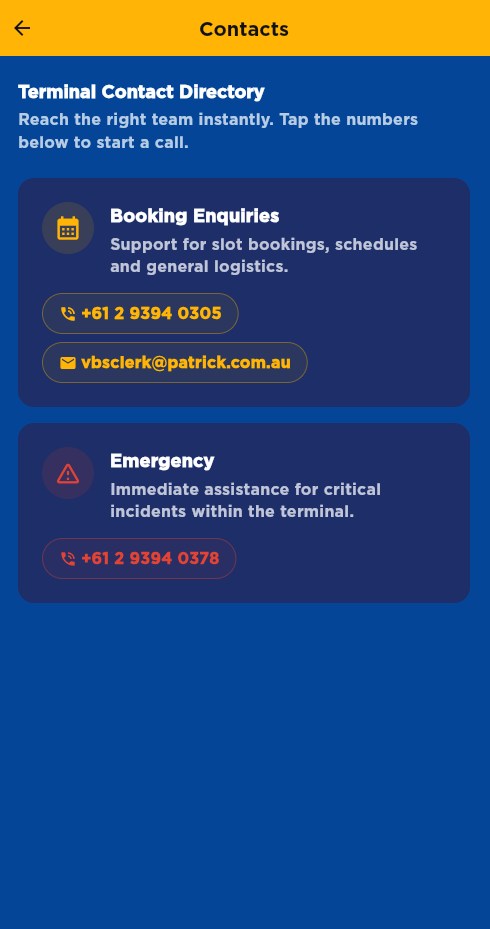
The screenshot above displays the Contacts Screen with the Terminal Contact Directory heading, contact cards organized by type (Booking Enquiries, Emergency, Security, etc.), each showing relevant icons, descriptions, and tappable phone numbers and email addresses for quick access.
Screen Layout
The screen shows:
- Heading: "Terminal Contact Directory"
- Subheading: "Reach the right team instantly. Tap the numbers below to start a call."
- Contact cards: Each card displays a contact type with phone numbers and/or email
Contact Types (Port Botany)
Booking Enquiries - Icon: Calendar - Description: Support for slot bookings, schedules and general logistics - Phone: +61 2 9394 0305 - Email: vbsclerk@patrick.com.au
Emergency - Icon: Warning triangle - Description: Immediate assistance for critical incidents within the terminal - Phone: +61 2 9394 0378
Contact Types (Fremantle)
Emergency - Icon: Warning triangle - Description: Immediate assistance for critical incidents within the terminal - Phone: 9432 0318, 0417 779 234
Booking Enquiries - Icon: Calendar - Description: Support for slot bookings, schedules and general logistics - Phone: 9432 0319
Security - Icon: Verified user - Description: Security-related enquiries and access issues - Phone: 9432 0320, 0428 451 877
Radio - Icon: Radio - Description: Radio channel information for terminal communications - Channel: (displayed as a badge, not a phone button)
How to use this screen
Call a contact
- Find the contact you need on the screen
- Tap the phone number button (shows phone icon and number)
- Your phone's dialer opens with the number ready to call
- Confirm and tap to connect
What happens: The call is initiated through your phone's default calling app.
Send an email
- Find the contact with an email address
- Tap the email button (shows envelope icon and email address)
- Your email app opens with the address pre-filled
- Compose your message and send
What happens: Your default email app opens ready for you to compose a message.
View radio channel information
- Look for the Radio contact card (Fremantle only)
- The radio channel information is displayed as a badge
- Note the channel for terminal communications
Mobile tips
- Tap to call: Phone numbers are tappable buttons - your call initiates immediately
- Multiple numbers: Some contacts have multiple phone numbers - try the first one, or try the second if the first doesn't answer
- Email for non-urgent: Use email for questions that don't need immediate response
- Terminal-specific: Contacts shown are specific to your assigned terminal (Port Botany or Fremantle)
- Emergency calls: For critical incidents, call the Emergency number immediately - don't wait for email responses
Common questions
Q: Why do I see different contacts than my colleague?
Contacts are specific to your assigned terminal. Port Botany and Fremantle have different contact numbers. Check which terminal you're assigned to in your profile.
Q: Can I call these numbers 24/7?
Emergency numbers are available 24/7. Booking enquiries and other services may have limited hours - contact them during business hours for best response.
Q: What if the phone number doesn't work?
Try an alternative number if one is listed. If all numbers fail, contact support through the app's Feedback screen.
Q: Should I save these numbers to my phone?
Yes, it's a good idea to save emergency and booking enquiry numbers to your phone for quick access outside the app.
Q: When should I call Emergency?
Call Emergency for: - Safety hazards or accidents - Security concerns - Critical incidents requiring immediate attention - Urgent situations at the terminal
Q: Can I email for urgent issues?
No, email is not for urgent matters. For urgent issues, call the phone number immediately. Email responses may take some time.
Q: What's the difference between Booking Enquiries and other contacts?
Booking Enquiries handles slot bookings, schedules, and logistics. Emergency is for critical incidents. Security (Fremantle) handles access and security issues.
Q: What information should I have ready when calling?
Have ready: - Your name and driver/registration number - Your booking number or Manifest PIN (if applicable) - A clear description of your issue - Your current location at the terminal (if applicable)
Q: What is the Radio contact for?
The Radio channel (Fremantle only) is for terminal communications. Use this channel for on-site radio communications at the terminal.
Q: Why is there no email for Emergency?
Emergency is phone-only because urgent situations require immediate voice communication, not email.
Q: Can I add my own contacts?
No, the app displays only official terminal contacts. Save personal contacts to your phone's contact list.
Q: What if I can't reach anyone?
Try alternative numbers if available, or try again shortly. For true emergencies, call local emergency services (000 in Australia).